
The project itself :
Project Overview
Wabi is a simple collaborative task app where users manage tasks inside personal or shared lists. It is designed to make everyday coordination feel lightweight, clear, and easy to use.
Challenge:
The challenge was to design an overview dashboard that gives users a clear snapshot of their tasks and activity without overwhelming them with too much information.
My role:
My role was to define and design the dashboard from scratch, including the UX concept, information architecture, feature logic, wireframes, UI decisions, microcopy, and final specifications for development.
All about the user :
User Research
As part of the process, I explored how users manage their day to day tasks and what information they need most when entering the app. Rather than conducting heavy research, I focused on product discussions and real usage scenarios to better understand their needs. The goal was to help users make fast, confident decisions from the moment they enter the system.
Key Performance Indicators
Higher interaction with due today and overdue tasks
Faster action on urgent tasks
Reduction in overdue tasks over time
Engagement with the Overview screen as a planning entry point
Role Analysis
To understand how people use Wabi, I mapped the main usage roles involved in the product:
Personal organizer:
Uses Wabi to manage personal and shared lists, keep track of tasks, due dates, and ongoing responsibilities.
Collaborator:
Participates in shared lists, comments on tasks, assigns others, and follows updates across shared work.
This helped define what the dashboard needed to surface first and how to support both personal task management and lightweight collaboration.
User Role Goals
Users need to stay on top of their tasks, avoid overdue items, and maintain a clear understanding of how their week is progressing. They also need enough visibility and encouragement to keep moving forward, complete their work on time, and feel in control of their ongoing responsibilities.
Tasks Analysis
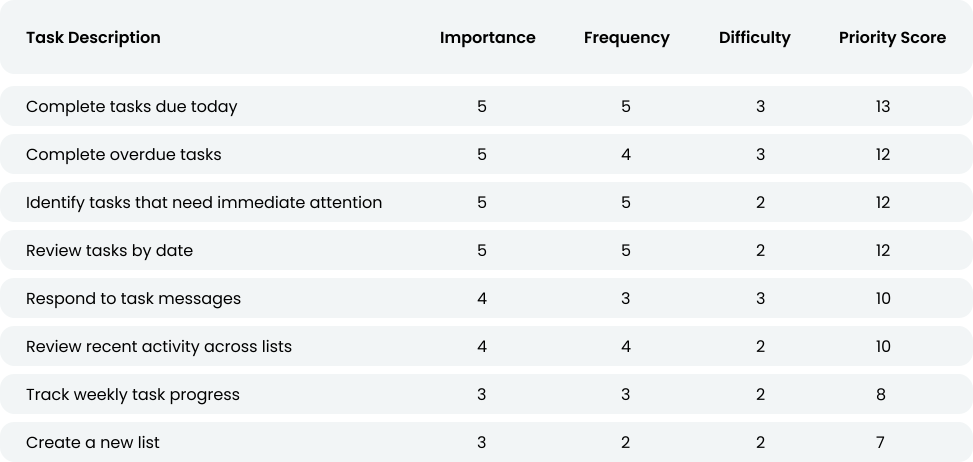
To identify which tasks matter most in Wabi’s day to day usage, I evaluated each activity based on how important, frequent, and time sensitive it is within the user’s ongoing task flow. This helped reveal which actions needed to surface first in the dashboard, where users needed the most support, and which design opportunities could improve clarity, speed, and follow through.
The project schematically :
Starting the Design
I began with rough dashboard sketches to explore the basic structure and information hierarchy. These early wireframes helped me understand what was missing, what felt too static, and which elements needed to better support action and progress.
Paper Wireframes
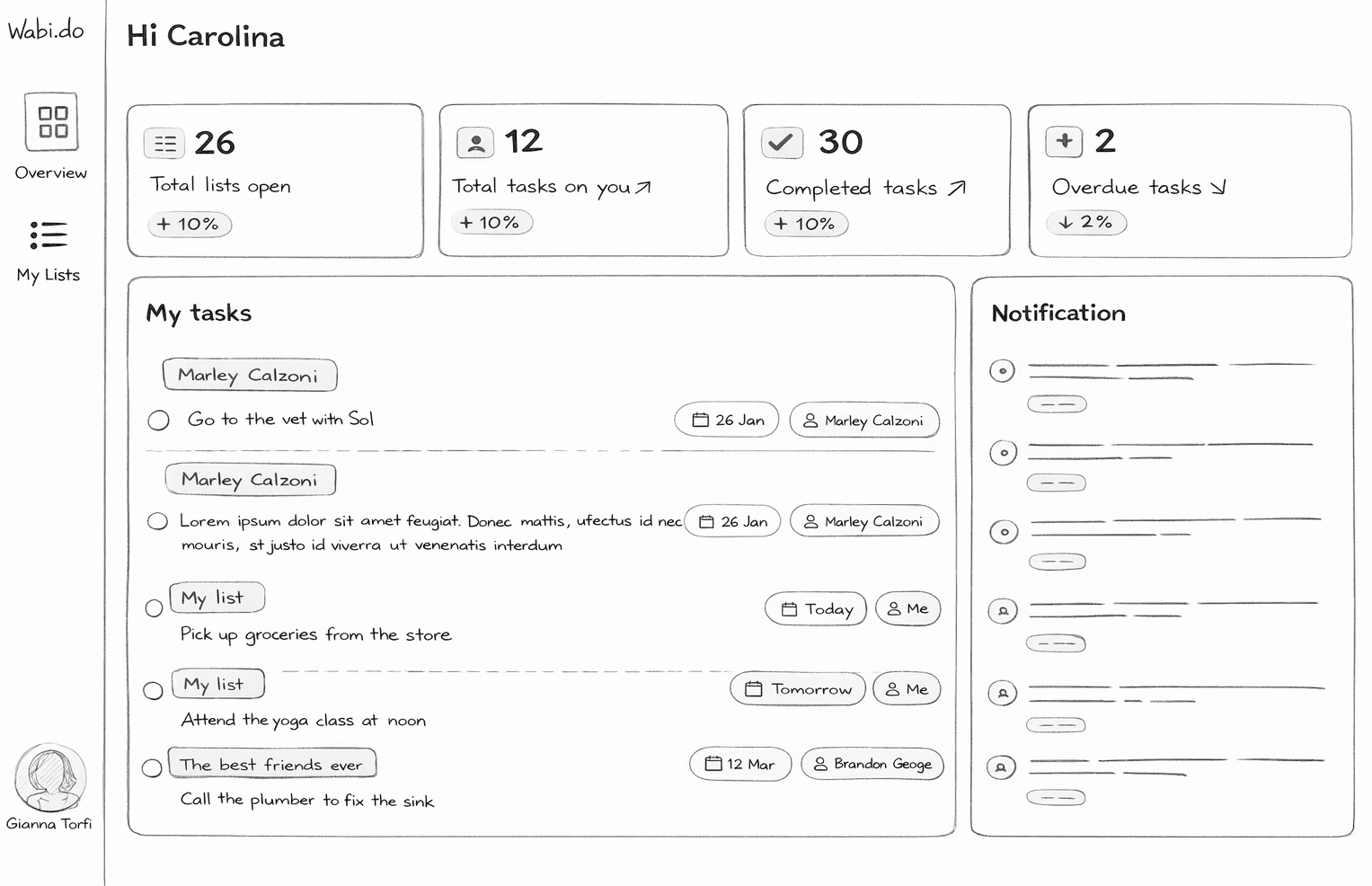
I started by sketching a first rough version of the dashboard to explore the basic structure and hierarchy. The goal at this stage was not to be precise, but to understand what information should appear and how it should be organized.
As I reviewed this initial version, I realized that some key elements were missing. The screen showed information, but it didn’t really help users take action or understand their situation.
For example:
There was no clear way to create a new list directly from the dashboard
There was no indication of weekly progress or sense of momentum
The information felt static rather than actionable
This helped me understand that the dashboard shouldn’t just display data, but should support decision-making and guide users on what to do next.
Digital Wireframes
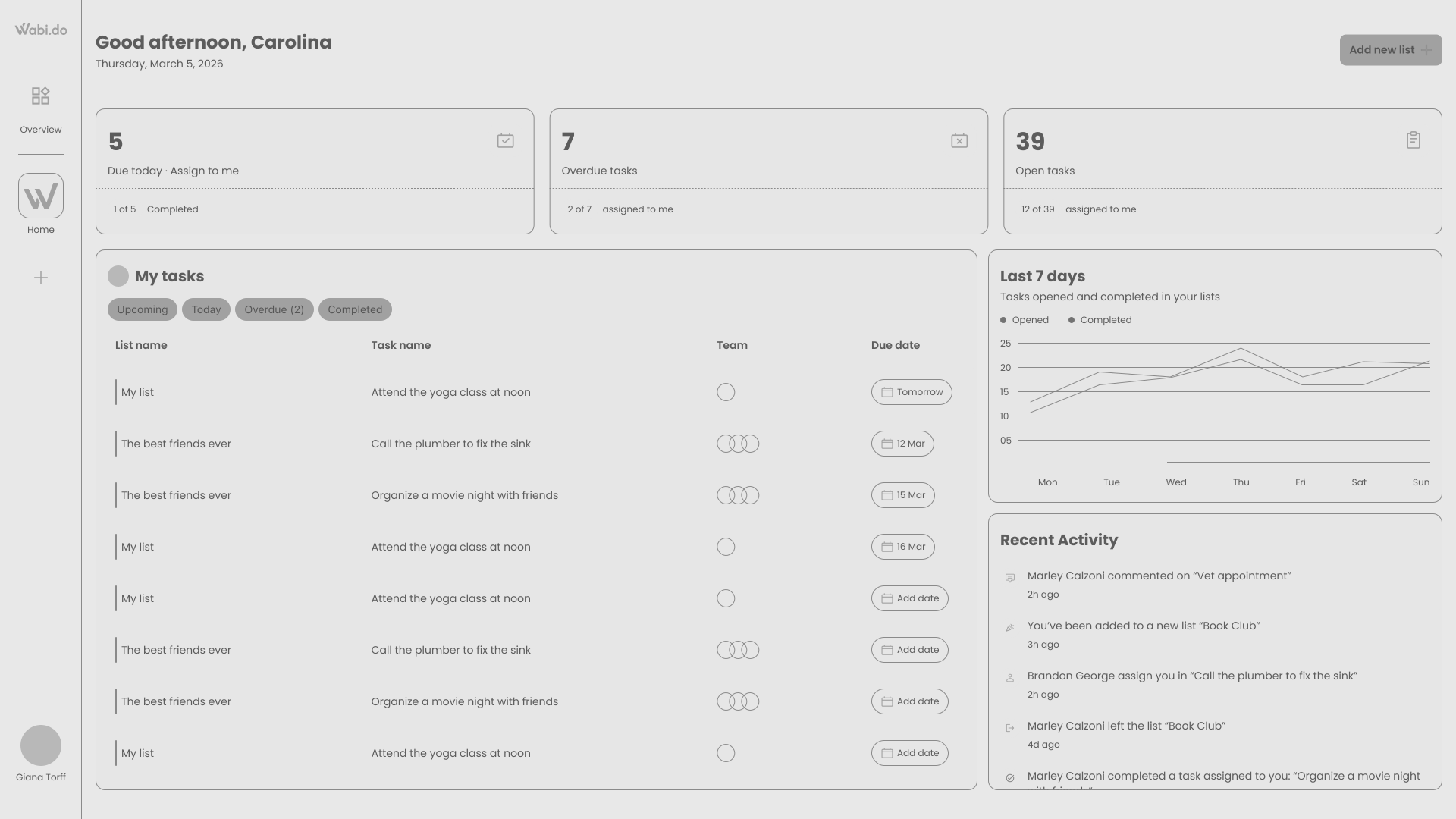
After identifying the gaps in the initial wireframes, I iterated on the design to make the dashboard more actionable and meaningful. Instead of just showing information, the updated version focuses on helping users understand their situation quickly and take immediate action.
Here’s what was improved:
Clearer task prioritization: Tasks are now grouped and structured in a way that makes it easier to focus on what needs attention first, especially overdue and upcoming tasks.
Action-oriented layout: Key actions like creating a new list are now easily accessible, reducing friction and supporting quick task management.
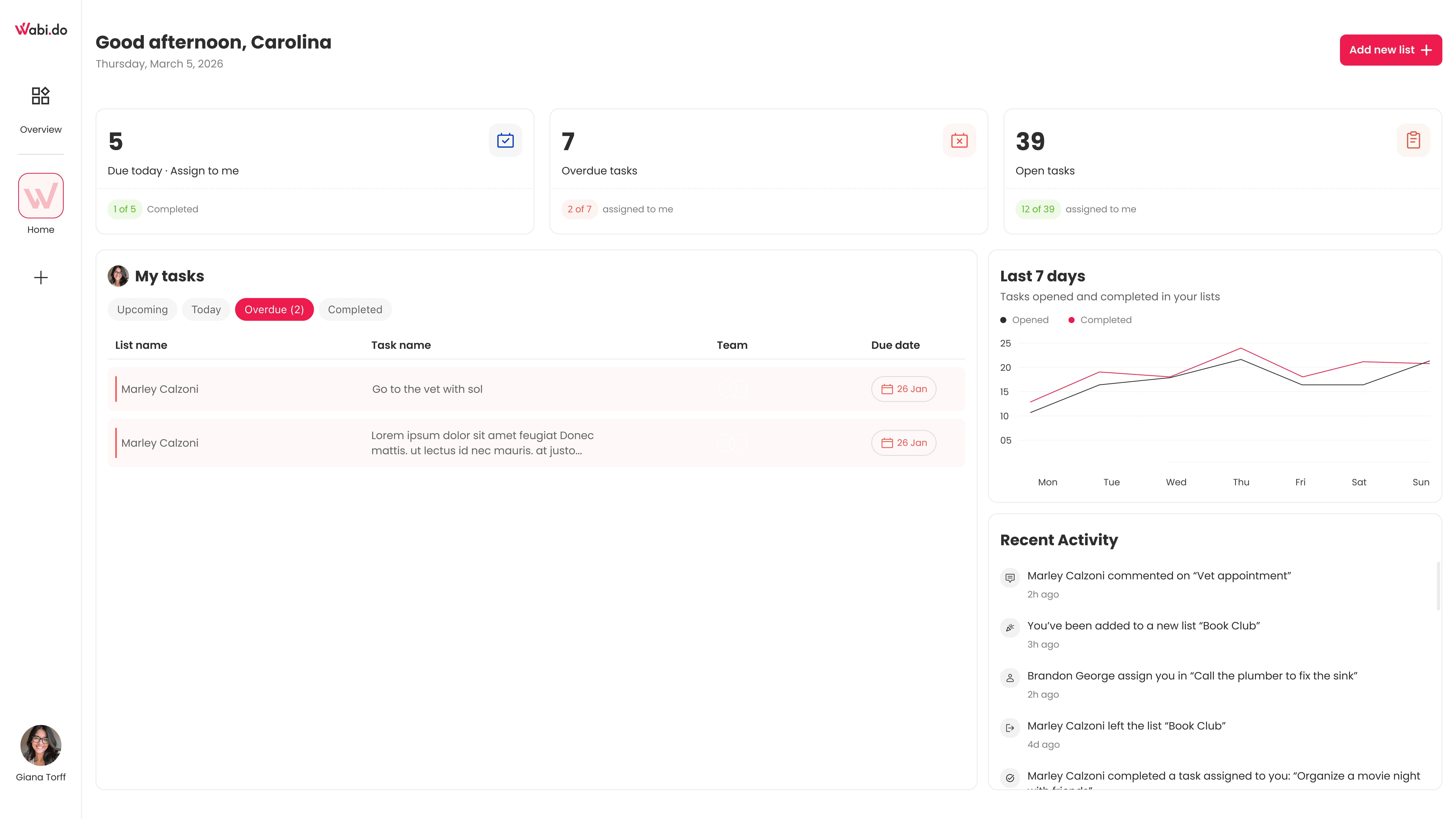
Better visibility of progress: A weekly activity graph was added to give users a sense of momentum and help them understand how their work is progressing over time.
More meaningful overview: The top section now provides a quick snapshot of the user’s current state (tasks, overdue items, workload), allowing for faster decision-making.
Improved awareness through activity: The activity feed helps users stay updated on what’s happening around their tasks, supporting collaboration and responsiveness.
Overall, the dashboard shifted from a static view of information to a more dynamic and actionable experience that supports users in staying on track.
The clear version :
Refining Design
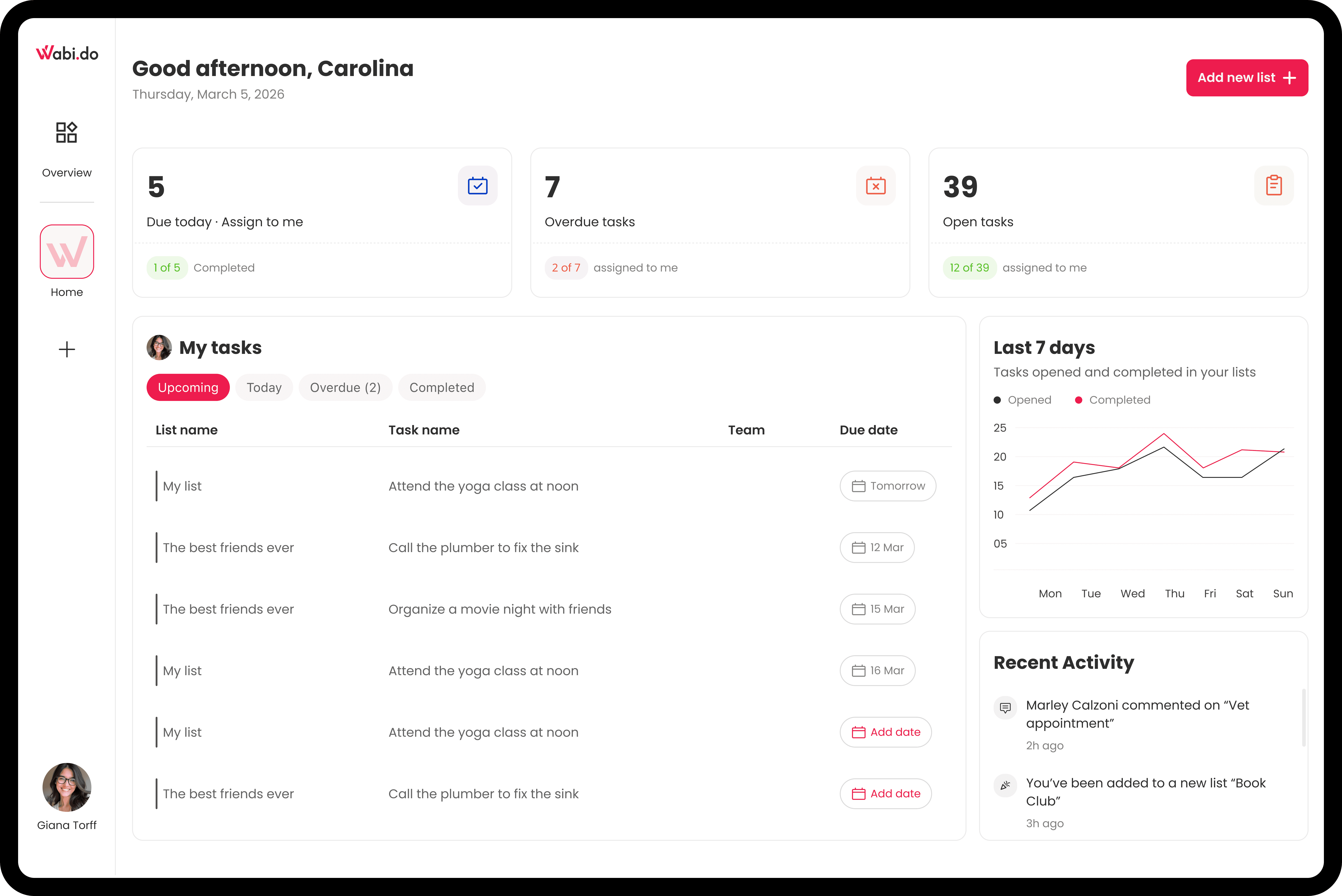
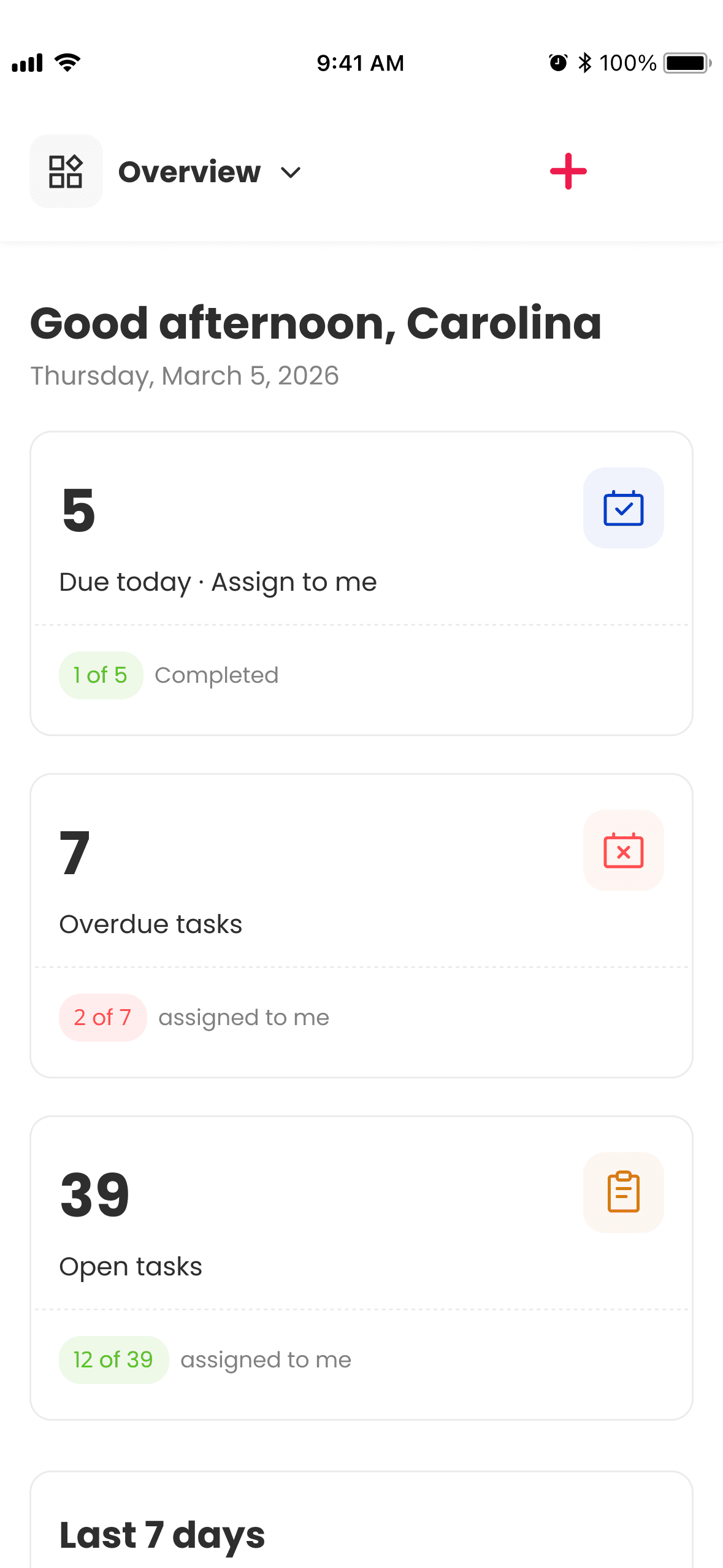
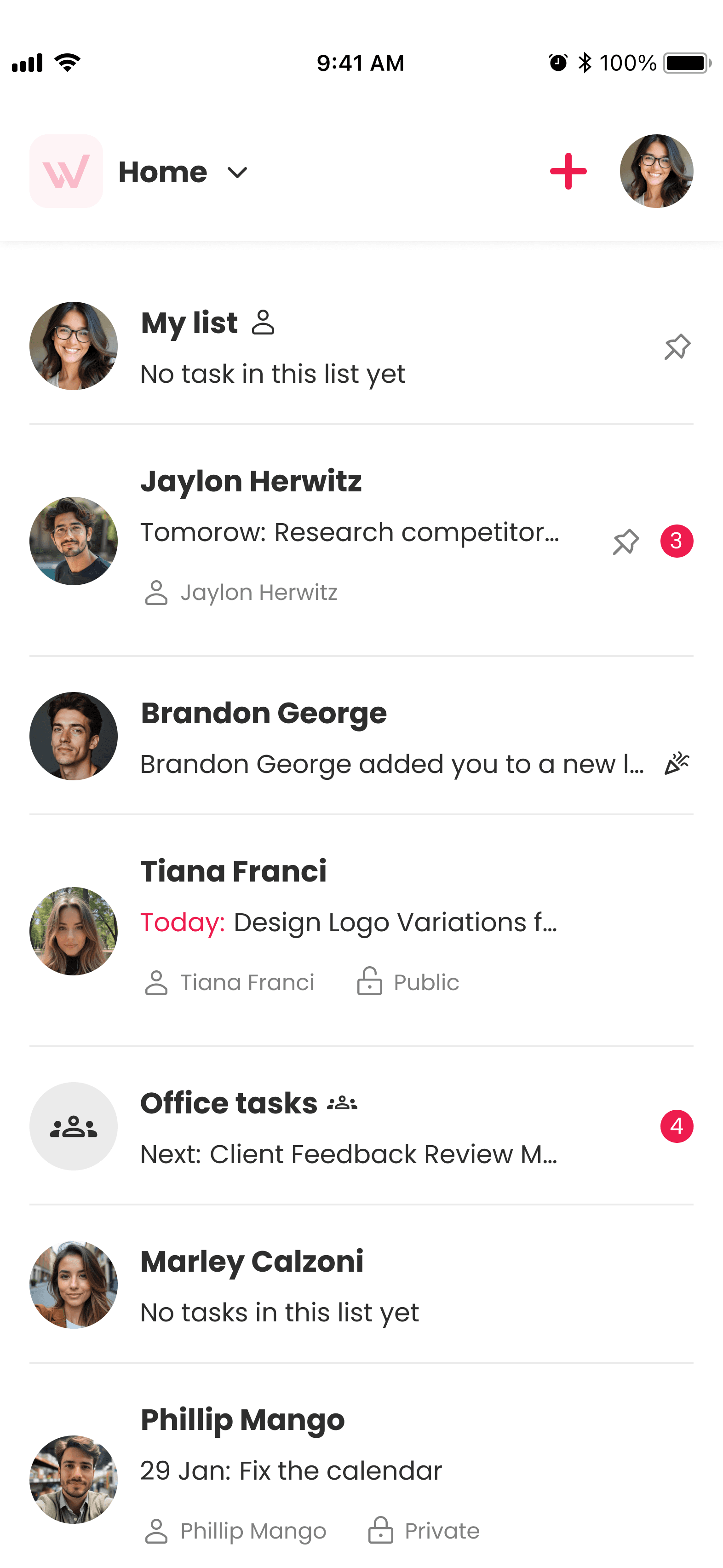
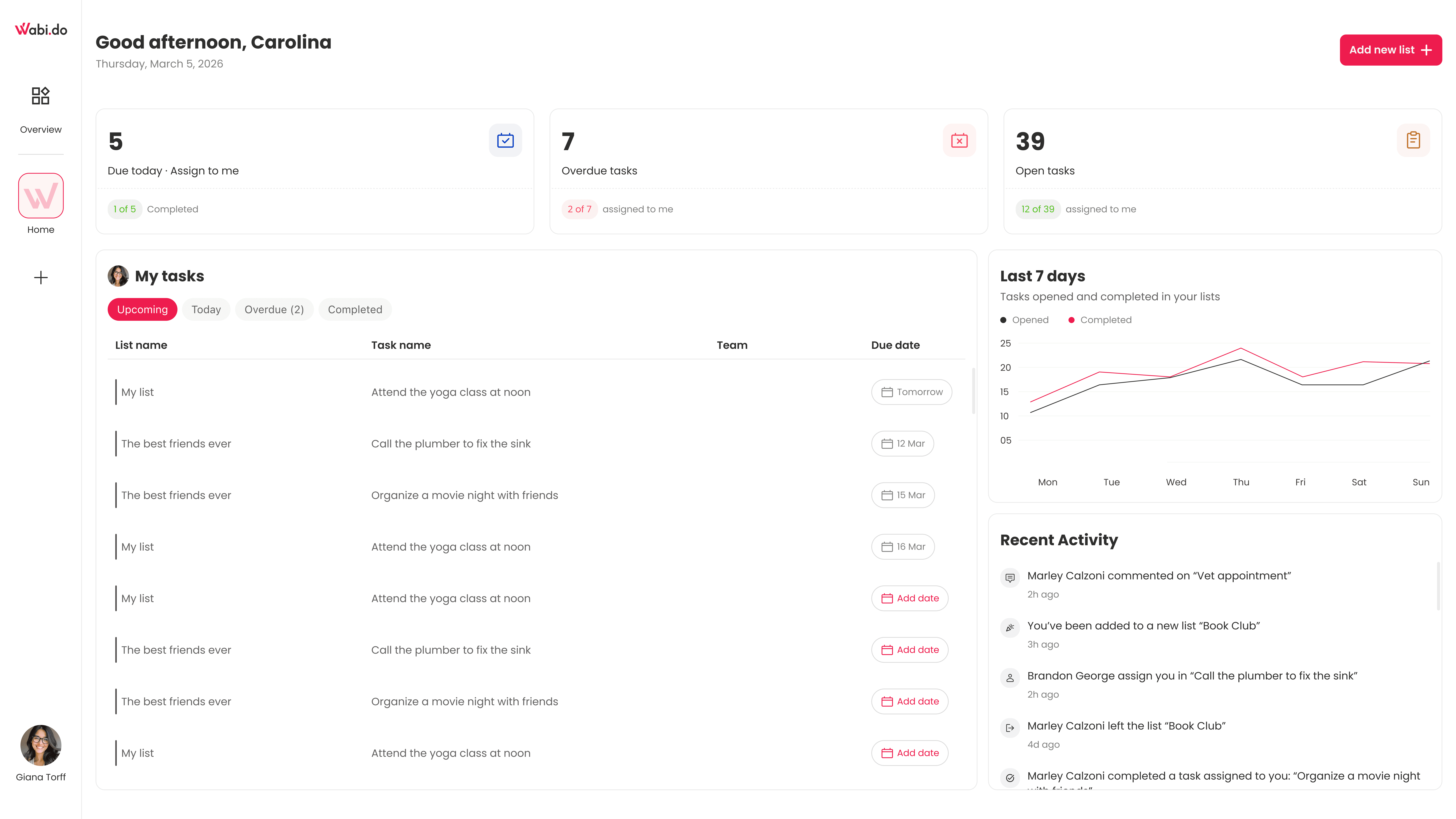
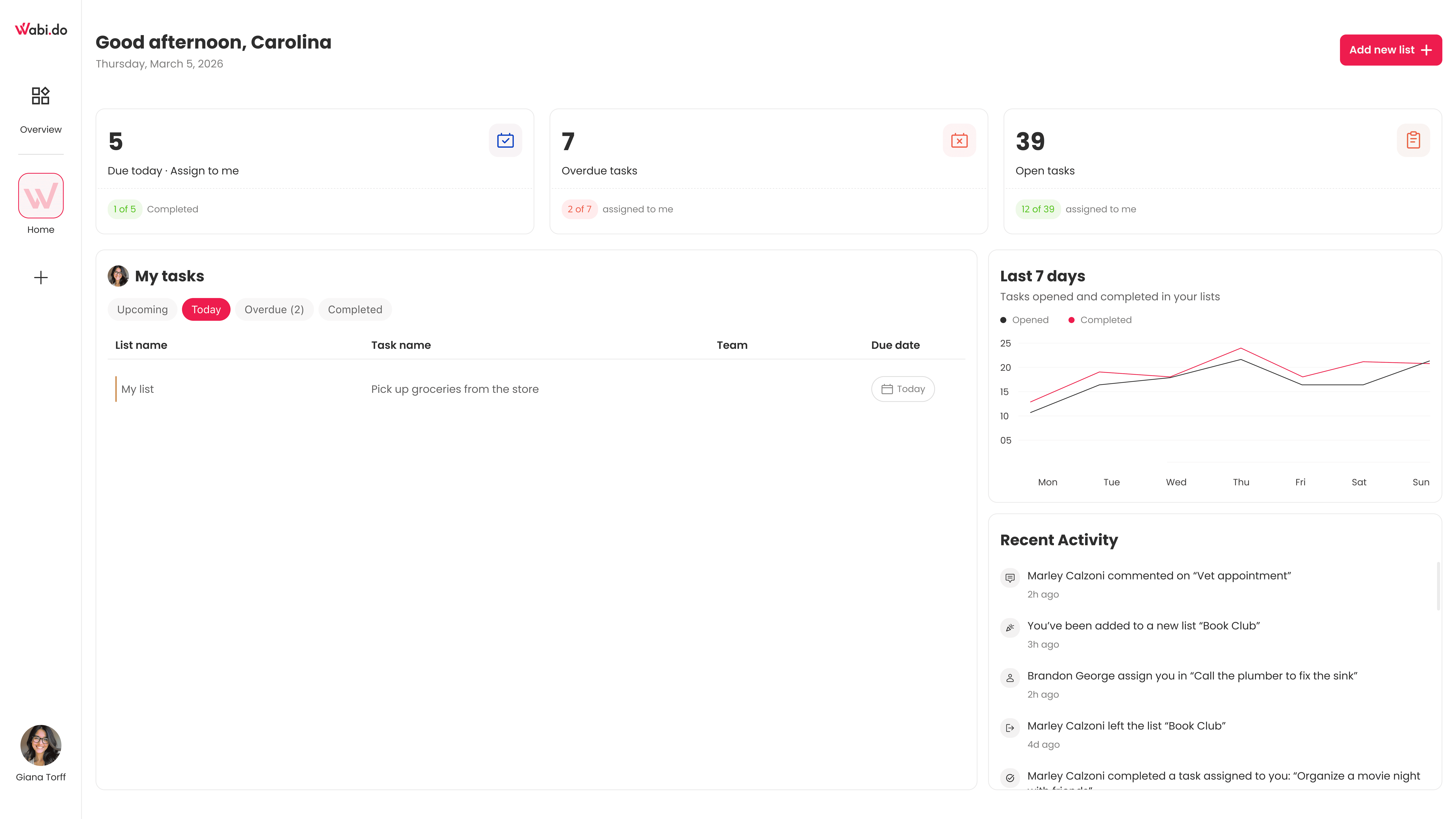
At this stage, I turned the wireframes into high-fidelity designs, focusing on making the dashboard feel clear, actionable, and easy to scan. The goal was to help users quickly understand their situation, prioritize what matters, and take action without friction.
Mockups
I designed the final screens by applying visual language, spacing, and component consistency across the dashboard. The focus was on creating a clean, intuitive experience that supports fast scanning, clear prioritization, and continuous task management.

The project schematically :
Outcome
At this stage, the final dashboard design was implemented in production. The focus was on creating a clear, actionable overview that helps users quickly understand their tasks, stay on top of their work, and take immediate action when needed.
Takeways
Impact:
The updated dashboard provides a clearer overview of tasks, improves visibility of overdue and upcoming items, and supports faster decision-making. It also introduces a better sense of progress and activity, helping users stay engaged and in control of their ongoing tasks.
What I learned:
I learned that even small changes in hierarchy and information placement can significantly impact how users understand and act. The key takeaway for me was to always design not just for visibility, but for action and decision-making.